PFAFF® Multi-Function Foot Control

sku 821261096
$534.74

$712.99

Now 25% off!

Free Shipping on orders over $35. Most orders arrive in 3-5 business days. Free returns up to 30 days.

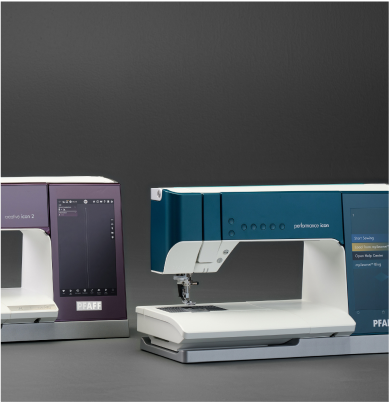
Control multiple functions of your creative icon™ 2, creative icon™ or performance icon™ without taking your hands off your projects: thread cut, tie off, reverse, presser foot lift, needle up/down and pattern begin/restart.
Additional Features
  • Three different strengths of lens allows you to choose the correct level of magnification for needle threading, detailed sewing i.e. stitch in ditch.
  • Swivel-out holder allows you to move the magnifier out of the way temporarily without having to remove it from the holder
  • The lenses are held in place by a magnet, making them easy to attach and remove
Details

Enjoy Hands-Free Control


This foot pedal control multiple functions of your machine without taking your hands off your projects, including thread cut, tie off, reverse, presser foot lift, needle up/down and pattern begin/restart.


Designed for the creative icon™ 2, creative icon™ and performance icon™ machines.

Specifications

Specifying the Sewing Functions

By default, no function is set to the three editable controls. When you connect the Multi-Function Foot Control to your machine, a pop up window will open on the screen where you can specify your settings. The control settings can also be accessed anytime from the settings menu, when the foot control is connected. When you disconnect the control from the machine, your settings are stored until the next time you connect it.

Connecting the Foot Control

The Multi-Function Foot Control is USB-powered. No power cord or batteries are needed.

  1. Disconnect the original foot control from the machine, if connected.
  2. Connect the USB cable (type A) to the USB socket on the bottom right side of the machine.
  3. Connect the USB cable (type B) to the USB socket at the front of the foot control.

Specifying Settings

To specify a function, touch the button of the control you want to set and select the desired function in the drop-down list.

To close the pop up window, touch OK.

Reverting to Default Settings

To remove the assigned function from a control, touch the button of the control and select No function assigned in the drop-down list.

To set all editable functions to default settings (No function assigned), select Reset.

Frequently Asked Questions - PFAFF Multi-Function Foot Control

This advanced foot control is designed for specific high-end PFAFF models, such as the creative icon and performance icon. Check your machine's manual for compatibility.

Beyond variable speed control, you can program the heel-tap and side-lever functions to perform tasks like thread cutting, reverse stitching, or raising and lowering the presser foot.

It allows for hands-free operation of key functions, which means you can keep both hands on your project for better control, especially during complex quilting or embroidery.

No, programming the functions is done easily through your machine's settings screen, allowing you to customize the foot control's operation to your personal preference.

Yes, it is designed for comfort and features a rubberized base to prevent slipping, allowing for long sewing sessions with less fatigue.